
Quickstart: Create a Note and four Card types
Write a study Note, create four kinds of flashcards, and practise them in a Review.
This short example follows one question about nerve cells: why can a channel block stop signals quickly while a loss of cell energy changes voltage later? The measurements are made up for practice, not from a published study.
1. Choose a Topic
In Library, open a Topic where you keep related study material. If you already have Cell Biology → Cell membrane, you can use it; otherwise choose one of your own Topics. See find your work in Library if you need help.
2. Create and mark a Note
In Notes, choose Create note. Give your Note a title, such as How nerve cells keep signals moving. Explain the idea in your own words. For this example, compare a fast change in a cell's signal with a slower change after its energy supply falls. The four Card pictures below show ways to practise the same idea.
Select one important sentence and choose Highlight. To leave a reminder, select a passage and add a comment. If Comments says the service is unavailable, check current limits.
3. Practise the same idea four ways
Save your Note. Open Cards and choose Add card to learning note. Use the pictures below as examples: each Card asks you to think about the same measured case in a different way. You can write your own questions and answers; you do not need Angela's saved Cards.
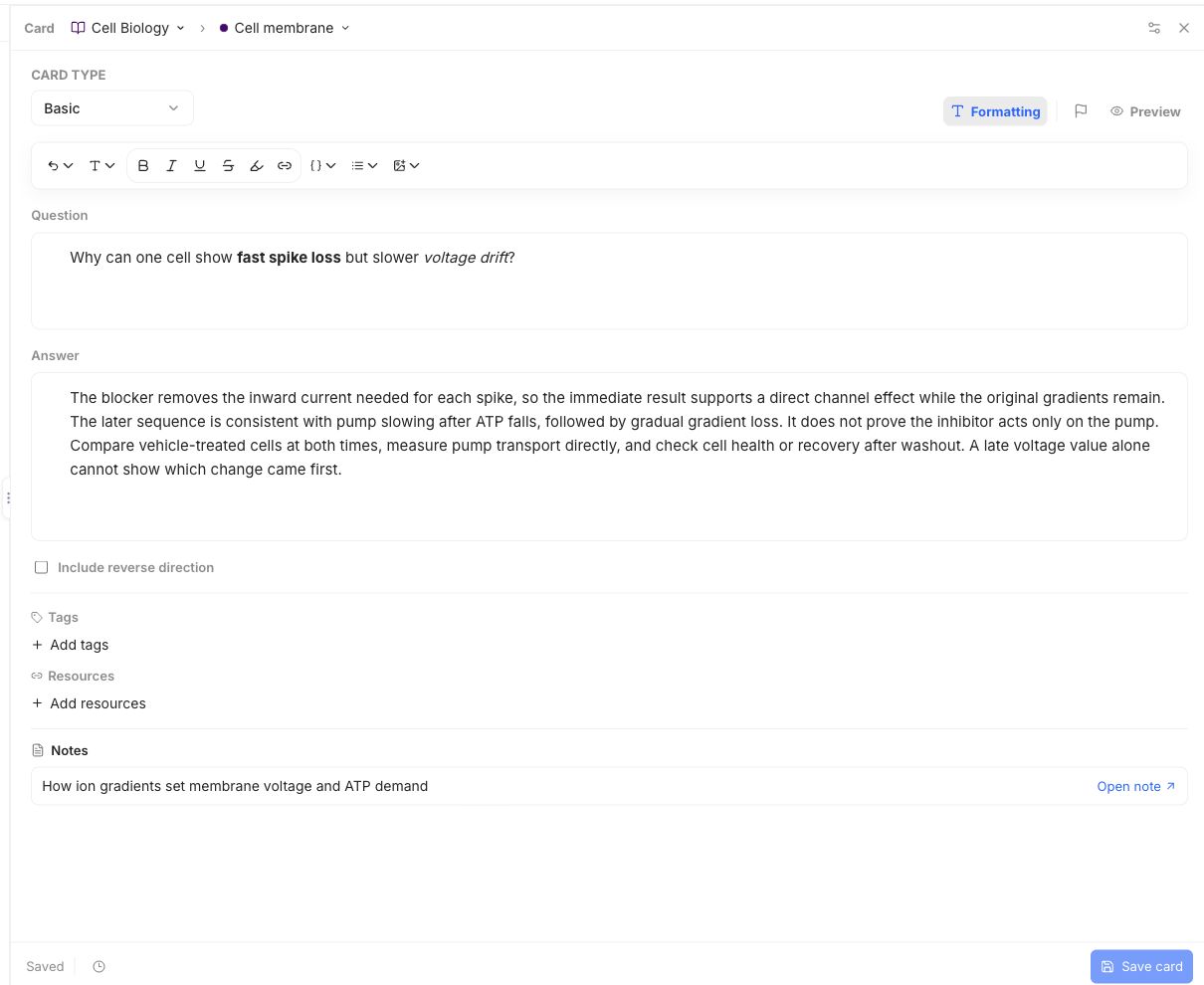
Explain the difference
This Basic Card asks why one cell can lose its spikes quickly but show a slower voltage drift. Its answer connects the timing to the likely cause, a useful comparison, and what the measurements cannot prove.
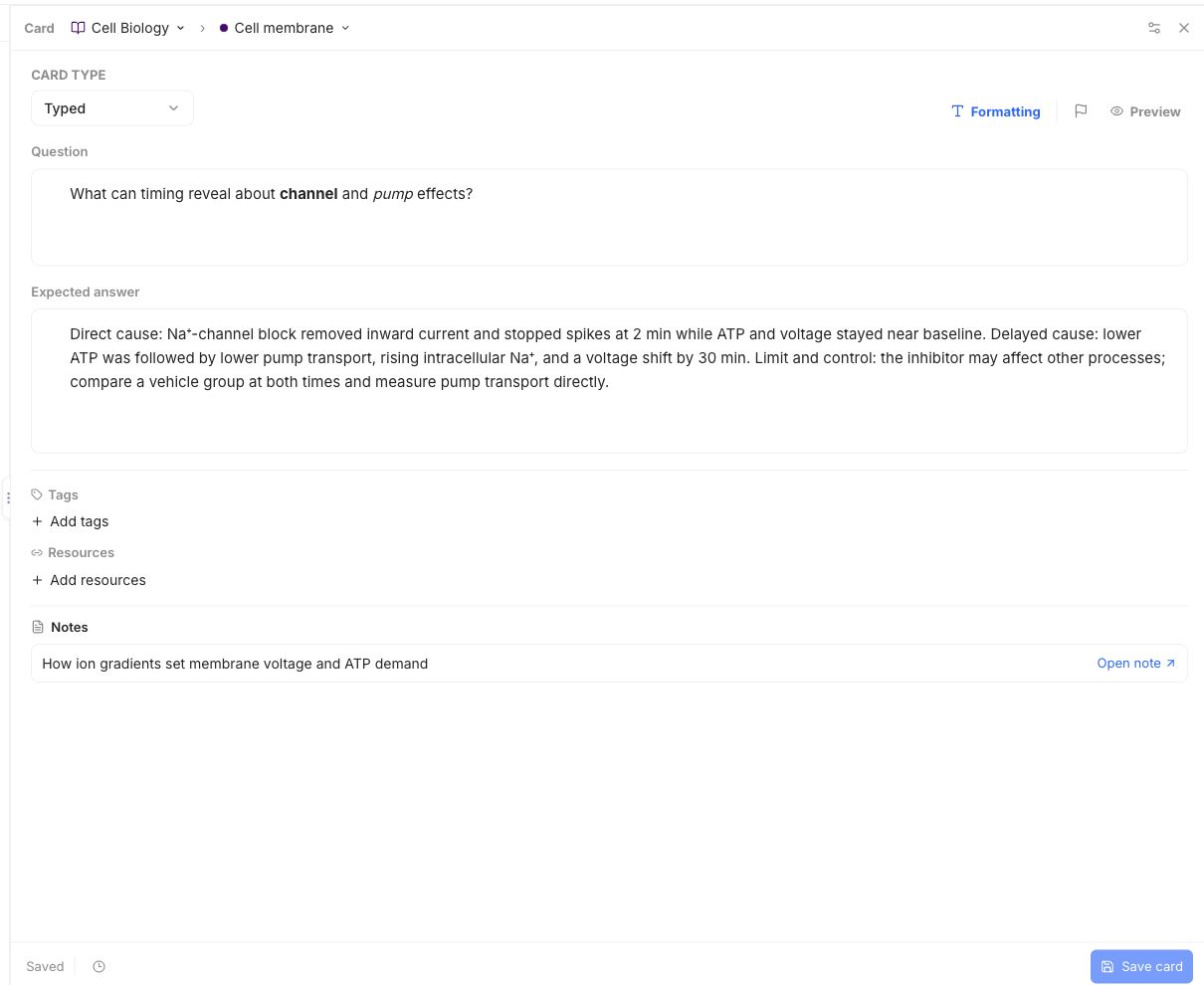
Give a careful answer
This Typed Card asks what timing can reveal. Its expected answer checks for the immediate effect, the later change, and one limit with a comparison to make.
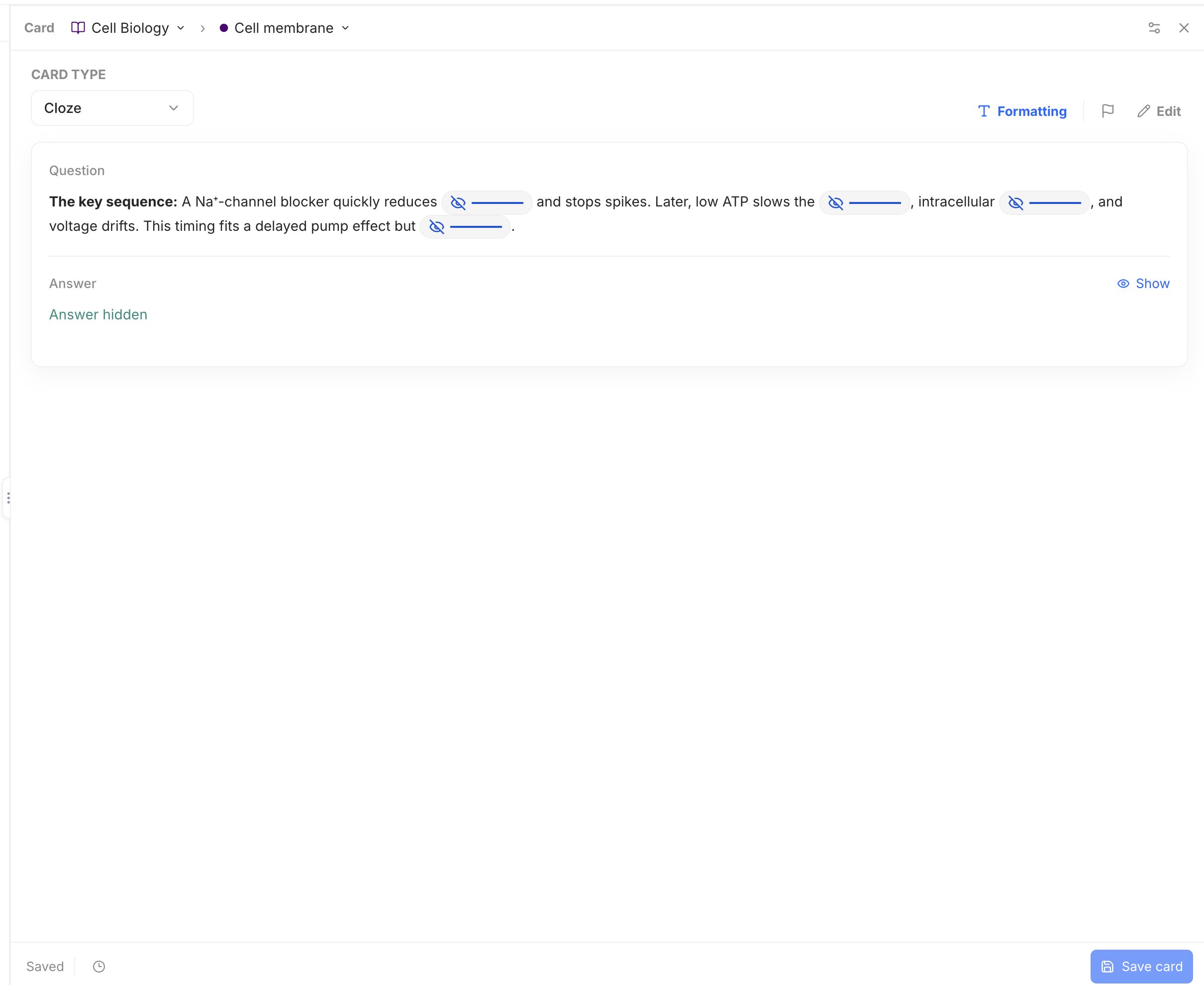
Connect the clues
This Cloze Card hides four linked details: the quick current change, the pump, the later rise in sodium, and the limit on the conclusion.
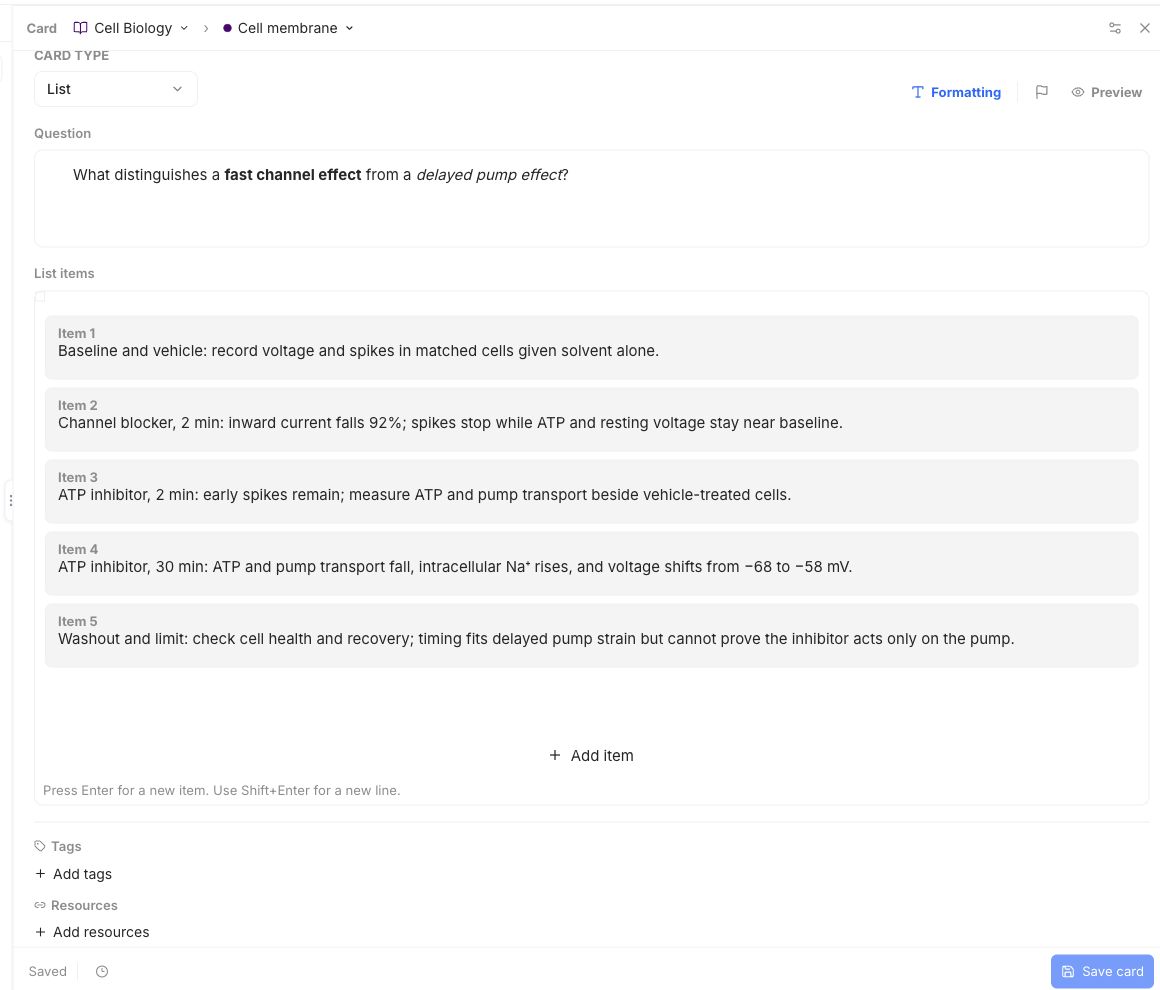
Rebuild the steps
This List Card orders the baseline and comparison, the early and late measurements, and the final check for recovery. Each step keeps the evidence tied to its timing.
4. Start a Review
Open Reviews, choose Create review, then Custom review. Choose Add a deck, set its source and choices, and check the preview. Choose Apply deck, then Create & start to begin or Save review to use it later. See make a Review for the full steps.
In a Review, answer before revealing the key. For a Typed answer Card, enter your response and choose Check answer, then grade how well you knew it.
Next, learn how to write a Note or open a guide for Basic, Typed, Cloze, or List Cards.